In summary:
- Success in student radio isn’t about expensive gear; it’s about making smart, resourceful choices.
- A structured show clock and a clear format (live vs. podcast) are more important for audience growth than a pricey microphone.
- Understanding music copyright isn’t optional; it’s a critical step to avoid getting your station shut down before it even starts.
- Building an initial audience relies on clever “audience hacking” on campus, not just generic social media posts.
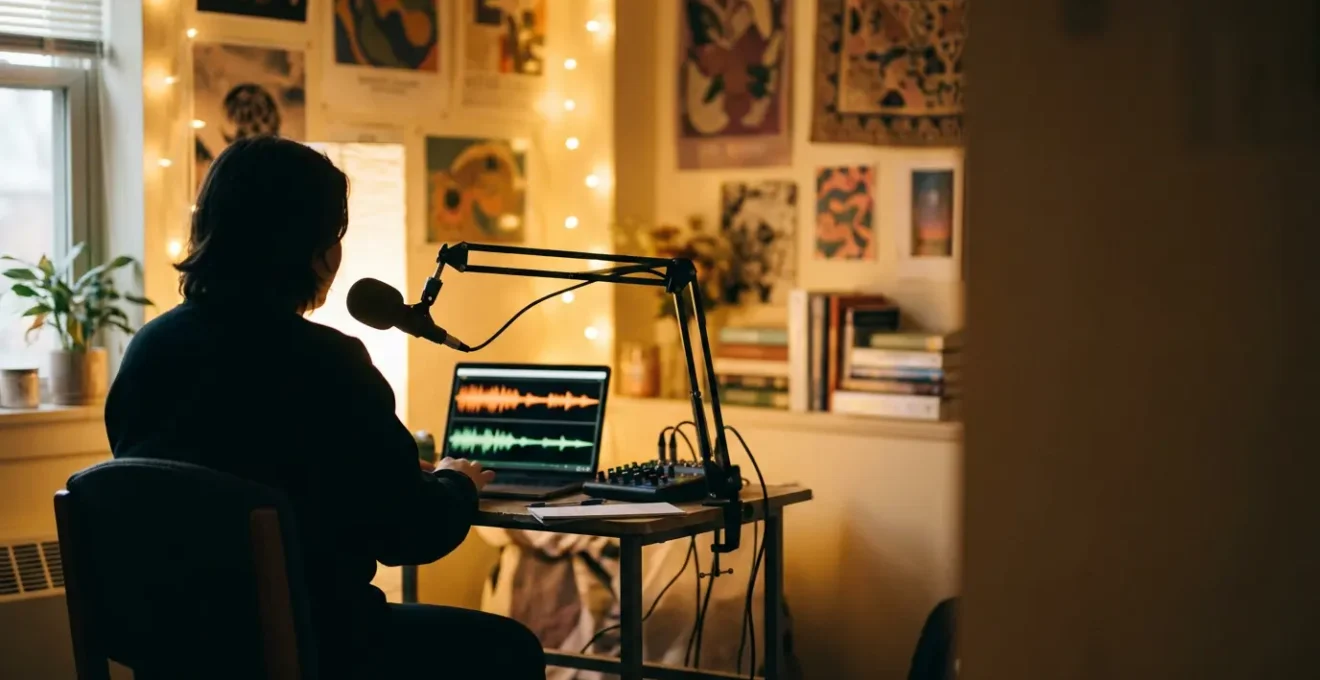
You’ve got the passion. You’ve got the voice. You’ve got a stack of records or a killer playlist and an opinion on everything from campus politics to the latest indie band. The idea of launching your own webradio station from the cozy chaos of your dorm room is electrifying. But then, the doubt creeps in. You see pro podcasters with intimidating setups and hear about complex licensing fees, and the dream suddenly feels expensive and out of reach. Most guides will throw a list of pricey equipment at you or offer vague advice like “find your niche.”
They tell you to buy the best gear, but don’t explain how a cheap mic in a closet full of clothes can sound better than an expensive one in a bare, echoey room. They tell you to be consistent, but don’t give you a blueprint for a show that’s actually sustainable for a busy student. This is the gap where most student radio dreams die: the space between raw passion and resourceful execution. It’s easy to get caught up in the gear, the software, and the quest for a “professional” sound that seems unattainable.
But what if the key wasn’t spending more, but thinking smarter? What if launching a compelling student webradio is less about having a pro studio and more about making strategic choices with the gear you can afford, the time you have, and the campus community you can hack? This isn’t about replicating a commercial station; it’s about building something authentic, energetic, and uniquely yours, right from your desk chair. This guide is your DIY-focused, resourceful playbook to do just that.
We’ll break down the essential decisions you need to make, from choosing budget-friendly gear and designing a hook-worthy show to legally playing music and getting your first loyal listeners. This is your path from idea to broadcast, no professional studio required.
Summary: From Dorm Room Dream to Campus Airwaves
- USB or XLR: Which Microphone Setup Fits a Student Budget?
- How to Design a 1-Hour Show Clock That Keep Listeners Hooked?
- Live Stream or Podcast: Which Format Builds an Audience Faster?
- The Copyright Mistake That Will Get Your Webradio Shut Down
- How to Get More Than 10 Listeners for Your First Broadcast?
- Ferrite or GarageBand: Which App Turns Your iPad into a Mixing Desk?
- Gain vs. Volume: The Audio Mistake That Ruins Your Live Feed
- How to Launch a Professional Podcast Using Only Mobile Equipment?
USB or XLR: Which Microphone Setup Fits a Student Budget?
The first hurdle for any aspiring student broadcaster is gear. It’s easy to get lost in a sea of expensive equipment, but the truth is your first big decision boils down to two paths: USB or XLR. This isn’t just about cost; it’s about your entire production workflow. A USB microphone is the ultimate plug-and-play solution. It connects directly to your computer or iPad, requires no extra hardware, and is incredibly budget-friendly. This simplicity is why 36.1% of podcasters use USB mics, making it the most popular choice for creators focused on getting started quickly.
The XLR path offers more flexibility and higher potential quality, but it comes with a steeper price tag and learning curve. An XLR mic requires an audio interface to connect to your computer, plus cables and potentially a preamp. This modular setup allows you to upgrade individual components over time, but the initial investment is significantly higher. For a dorm room setup, the “workflow over gear” principle is key. A simple, reliable USB setup you actually use is infinitely better than a complex XLR rig gathering dust.
To put it in perspective, here’s how the budgets break down. This comparison makes it clear that for a student, the USB route is the most direct path to broadcasting without breaking the bank.
| Setup Type | Initial Cost | Essential Items | Hidden Costs |
|---|---|---|---|
| USB Setup | $70-100 | USB mic (Samson Q2U), Pop filter | None – plug and play |
| XLR Setup | $200-350 | XLR mic ($100), Audio interface ($100+), XLR cable ($20), Stand ($30) | Preamp/Cloudlifter for some mics ($100+) |
Ultimately, don’t obsess over the microphone model. Your recording environment matters more. A $70 USB mic in a closet filled with clothes (for natural sound dampening) will always sound better than a $300 XLR mic in a large, echoey dorm room. Your focus should be on creating the best possible sound with the resources you have, and for most students, that starts with a simple, effective USB setup.
How to Design a 1-Hour Show Clock That Keep Listeners Hooked?
Once you have a microphone, the next question is: what are you going to say? Simply hitting “record” and talking for an hour is a recipe for a rambling, unfocused show that listeners will tune out of. The secret of professional radio is intentional structure, and the tool for that is the show clock. A show clock is a minute-by-minute blueprint for your broadcast, breaking it down into planned segments like intros, music blocks, interviews, and features. It’s the difference between an amateur ramble and a tight, professional-sounding program.
This structure isn’t about being rigid; it’s about creating a familiar rhythm for your audience. When listeners know to expect a certain segment at a certain time, they’re more likely to stay tuned in and come back week after week. As the success story of college station KXLU Los Angeles shows, consistent programming with recurring interactive segments doesn’t just build loyalty—it can create a cultural phenomenon. Their structured shows helped launch the careers of major bands like Nirvana by fostering a dedicated community around their programming.
For a student broadcaster, a well-designed clock is also a burnout-prevention tool. By planning low-prep segments like listener submissions or pre-recorded content, you can create a high-quality show without spending all your study time on show prep. The goal is a sustainable, engaging format that respects both your time and your listener’s attention.
The visual plan above helps translate the abstract idea of a show into a concrete map. A great starting point is a template that balances high-energy content with moments to breathe. For example, start with a strong teaser, place your main segment early, and use interactive elements like campus news or polls in the middle to re-engage your audience. End with a preview of the next show to give them a reason to tune in again. This intentional structure is your most powerful tool for listener retention.
Live Stream or Podcast: Which Format Builds an Audience Faster?
You have your gear and a show plan. Now, how will you deliver it to your audience? The two primary paths are live streaming and podcasting, and the choice has a massive impact on your content, production style, and how quickly you can build a community. Neither is definitively “better,” but one will likely be a better fit for your specific goals and resources as a student broadcaster.
A live stream is all about immediacy and interaction. It’s perfect for time-sensitive content like covering campus events, hosting live call-ins, or reacting to breaking news. The energy is raw and authentic, and the real-time chat creates a powerful sense of community. This direct engagement can build a small, dedicated following very quickly. However, it requires a stable internet connection, and any technical glitch or on-air mistake is permanent. It’s high-risk, high-reward.
A podcast, on the other hand, is about creating evergreen, on-demand content. This format is ideal for in-depth interviews, narrative storytelling, or topic-focused discussions that will remain relevant for months or even years. The production is more polished, as you can edit out mistakes and refine the audio. While it might take longer to build a community without the real-time interaction, a podcast has the potential for a much wider reach as new listeners discover your back catalog over time.
The following table breaks down the key differences to help you make a strategic choice based on your show’s concept and your personal style.
| Factor | Live Stream | Podcast |
|---|---|---|
| Audience Building Speed | Faster initial community | Slower but wider reach |
| Content Type | Time-sensitive (campus events) | Evergreen (interviews) |
| Production Quality | Raw, authentic interaction | Polished, professional |
| Technical Requirements | Stable internet, live setup | Recording equipment, editing software |
| Listener Behavior | Active engagement, real-time | On-demand, commute listening |
Many successful shows adopt a hybrid approach: they broadcast live to engage their core community and then release the recording as a podcast to reach a broader audience. For a student starting out, this can be the best of both worlds, allowing you to build an immediate campus following while also creating a lasting archive of your work.
The Copyright Mistake That Will Get Your Webradio Shut Down
This is the section that could save your station. In the energetic rush to get on air, it’s tempting to just drag your favorite songs into a playlist and hit “broadcast.” This is the single fastest way to get your webradio shut down. Playing commercial music without the proper licenses is a serious legal issue, and platforms like YouTube, Twitch, and dedicated streaming hosts have automated systems that will detect it and terminate your stream instantly. Understanding the rules isn’t just a formality; it’s a fundamental part of a sustainable broadcasting strategy.
The term “fair use” is widely misunderstood and rarely applies to broadcasting an entire song for entertainment. Even a 30-second clip can trigger a copyright strike. To legally play most commercial music, you need licenses from Performance Rights Organizations (PROs) like ASCAP, BMI, and SESAC, which represent songwriters and publishers. These licenses can be expensive for an individual, but there’s a huge opportunity many students miss.
The University License Hack
Before you spend a dime, investigate what licenses your university already holds. Many institutions have “blanket licenses” with the major PROs to cover music played at sporting events, in student unions, and on campus. According to a report by the radio hosting service Airtime Pro, partnering with your university’s student activities or legal department to get your station covered under these existing licenses is often the fastest and cheapest path to legal broadcasting. They have already done the negotiating, and your student organization can often leverage that access for free or a nominal fee.
If your university doesn’t have a blanket license, your next best bet is to explore royalty-free music libraries (which often still require a subscription fee) or the vast world of Creative Commons music, making sure to follow the specific attribution rules for each track. Adopting a compliance-first mindset from day one will protect your hard work and ensure your station has a long and successful future.
Your Essential Copyright Compliance Audit
- University Licensing: Contact your student activities office to identify existing blanket licenses (ASCAP, BMI, SESAC) you can operate under and what the process is to be included.
- Music Sourcing: Inventory all your planned music and sound effect sources. Document their specific licensing terms, such as Creative Commons attribution rules or royalty-free purchase receipts.
- Content Policy Review: Review your show format against copyright rules. Confirm you are not using commercial music under the false assumption of “fair use,” which rarely applies to broadcasting full tracks.
- Third-Party Audio Scan: Scan all pre-recorded segments and bumpers for any audio clips from movies, news, or YouTube. Secure explicit written permission for their use or remove them completely.
- Compliance Log: Create a simple spreadsheet to log every track and sound effect used in each broadcast, noting its source, license type, and proof of rights for potential audits.
How to Get More Than 10 Listeners for Your First Broadcast?
You’ve done everything right: you have your gear, your show clock is tight, and your music is legal. You go live, heart pounding… and you’re broadcasting to an audience of three: yourself, your mom, and your roommate (who you forced to listen). This is the deflating reality for many new creators. Generic advice like “promote on social media” is useless without a real strategy. For a student broadcaster, your most powerful asset is your physical campus. This is where you need to focus your “audience hacking” efforts.
Forget trying to go viral online. Your initial goal is to build a core group of 10-20 loyal, local listeners. Successful college radio stations don’t start with a massive online following; they start by deeply embedding themselves in campus life. This means leveraging the existing communities and high-traffic areas around you. The key is cross-promotion and guerrilla marketing. Partner with the drama club to promote their upcoming play in exchange for a shoutout in their program. Interview the star athlete before a big game and get the sports team to share the link. Your campus is an ecosystem of potential listeners; you just have to tap into it.
Think creatively about where students’ attention is already focused. A simple QR code sticker can work wonders. Where do students wait in line? The coffee shop. Where do they sit bored? The laundry room. Where do they gather to eat? The common area with pizza boxes. These are your billboards. As highlighted in a guide for student broadcasters, placing QR codes in these high-traffic, low-competition spots is one of the most effective tactics for driving first-time listeners.
A brilliant “Founding Members” strategy involves recruiting 10 friends to be your core feedback group before you even launch publicly. Run test broadcasts with them, get their honest feedback, and have them ready to be active in the chat on launch day. An empty chat room feels dead; a chat with 10 people already talking creates instant social proof and makes new listeners want to join in. This initial momentum is what will carry you beyond your first ten listeners and start building a real community.
Ferrite or GarageBand: Which App Turns Your iPad into a Mixing Desk?
For the ultimate resourceful production setup, an iPad can be your all-in-one recording studio, editing suite, and mixing desk. It’s portable, powerful, and with the right app, it can produce professional-quality audio. The two dominant players in the iPad audio space are Ferrite and GarageBand, and they cater to very different workflows. Choosing the right one depends entirely on the type of show you’re creating.
GarageBand is Apple’s free, built-in digital audio workstation. Its biggest strength lies in music production. It comes with a massive library of virtual instruments, loops, and effects, making it perfect for shows that are heavy on sound design, custom theme music, or music beds. If you see yourself as a creative sound artist and want to learn the fundamentals of music production that translate to professional software like Logic Pro, GarageBand is an incredible starting point. However, for simple voice editing, its feature set can feel clunky and slow.
Ferrite Recording Studio, on the other hand, is built from the ground up for one thing: spoken-word audio. It’s the choice for podcasters, journalists, and anyone focused on interviews and talk content. Its workflow is designed for speed. Features like “Strip Silence” can automatically cut out dead air, and its editing tools are tailored for arranging voice clips. If your show is primarily talk-based and your goal is a fast turnaround from recording to publishing, Ferrite is a game-changer. The initial investment in the app can save you dozens of hours in editing time down the line. To connect your USB mic, all you need is a simple Lightning/USB-C to USB adapter and, critically, a powered USB hub to ensure your mic gets enough juice.
The choice isn’t about which app is “better,” but which one aligns with your show’s content. Are you a music-focused sound designer or a fast-moving talk show host? Answering that question will tell you whether GarageBand’s creative suite or Ferrite’s streamlined workflow is the right engine for your iPad studio.
Gain vs. Volume: The Audio Mistake That Ruins Your Live Feed
You can have the best microphone and the most brilliant content, but if your audio is distorted and unlistenable, no one will stick around. The single most common technical mistake that plagues student and amateur broadcasters is confusing Gain and Volume. Understanding the difference is not just a technical detail; it’s the foundation of good audio quality, especially in a live setting where you can’t “fix it in post.”
Think of it this way: Gain is the input level. It controls how much signal your microphone sends into your computer or mixer. It’s the first and most important adjustment you make. Setting the gain correctly ensures a strong, clean signal without distortion. Volume is the output level. It controls how loud that signal is in your headphones or for your listeners. It’s the last adjustment you make.
The catastrophic mistake is having the gain set too high. This causes the signal to “clip,” creating a harsh, crackling distortion that is impossible to remove. Conversely, if your gain is too low, your signal will be weak and full of background noise when you crank up the volume to compensate. As noted by student radio experts at CloudRad.io, incorrect gain staging is the number one issue that ruins live broadcasts, because the damage is permanent and instantly audible. Stations that implement a strict pre-show sound check ritual report a dramatic reduction in audio problems.
The key is to set your gain first, using your audio meter. Your process should be simple and repeatable every single time you go live:
- Set your master volume fader to a neutral starting point (around 70% or 0dB).
- Speak into the microphone at your normal broadcast volume.
- Adjust the GAIN knob (not the volume fader) until the meter is consistently peaking in the yellow range.
- The meter should never, ever touch the red. Red means clipping, which means distorted, ruined audio.
- Once your gain is set, you can use the volume fader to adjust the listening level for your audience without affecting the quality of the input signal.
This “Yellow, Not Red” pre-flight check takes 30 seconds but is the most important 30 seconds of your broadcast. It ensures a clean, professional sound that respects your listeners’ ears.
Key Takeaways
- Strategy over Spending: A well-planned show with a cheap mic will always beat a rambling show with an expensive one. Focus on your workflow and content structure first.
- Structure is Freedom: A detailed show clock doesn’t restrict creativity; it prevents burnout and creates a reliable, professional-sounding program that keeps listeners hooked.
- Campus is Your Launchpad: Forget going viral. Focus on “audience hacking” your local campus with clever, real-world promotions to build your first loyal listeners.
How to Launch a Professional Podcast Using Only Mobile Equipment?
The ultimate expression of resourceful production is leaving the laptop behind entirely. With today’s technology, your smartphone is a powerful broadcast-quality recording device. This isn’t a compromise; it’s a strategic choice that aligns with modern media consumption. Recent data shows that 54% of podcast listeners use smartphones as their primary device. Creating your content on mobile means you are working in the same ecosystem your audience lives in, which can give you a better feel for the end-user experience.
Launching a podcast with just your phone requires a disciplined workflow and a few key accessories. The built-in microphone on modern smartphones is surprisingly good, but for professional results, a simple wired lavalier microphone that plugs into your phone’s charging port or headphone jack is a crucial, inexpensive upgrade. Avoid Bluetooth mics, as they can introduce lag and compression artifacts. The goal is a clean, direct signal.
Beyond the microphone, a successful mobile-only workflow is all about preparation and eliminating variables. Your phone is a multitasking device, which means it’s designed to interrupt you. Notifications, calls, and background apps are the enemies of a clean recording. Before you hit record, you must create a sterile recording environment on your device. This means putting your phone in “Do Not Disturb” and Airplane Mode (you can re-enable Wi-Fi if needed for a script), closing all other apps, and ensuring you have enough battery and storage space. A small, portable phone tripod or stand is also essential to avoid handling noise.
This mobile-only approach offers incredible freedom. You can conduct interviews on the go, record your thoughts the moment inspiration strikes, and edit your entire show while waiting for your next class. It embodies the DIY spirit of student radio, proving that a compelling show is about the quality of your ideas and the discipline of your workflow, not the size of your studio.
Stop dreaming and start broadcasting. The next step is to grab a mic, map out your first show clock, and go live. Your audience is waiting.